Fruit Rush
Slice the fruit — but never the pillow bomb.
A little play. A brighter day.
Wake up with games, personal alarm sounds and up to three gentle reminders.
Free to get started · Android 7.0+
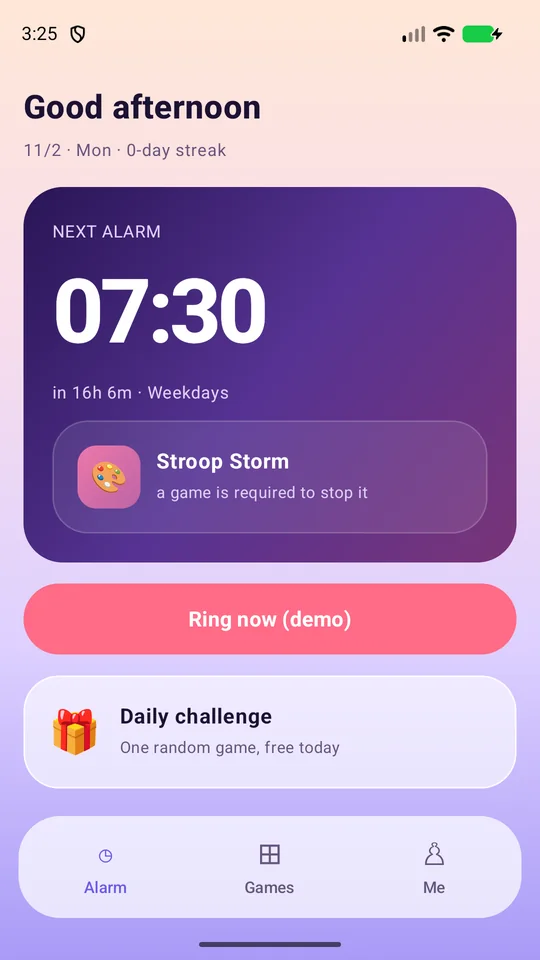
Actual app screens
01 / Games
BeatAlarm turns your morning alarm into a small wake-up challenge. When it rings, swipe into a wake-up game and start the day with attention, movement or rhythm.
Slice the fruit — but never the pillow bomb.
The word says blue, the ink is red. Tap the ink.
Use the microphone to inflate and pop balloons. Microphone permission required.
Recover the fragments of last night's dream.
Shake your device to drop apples. Charge drains when you stop.
Keep time with the ringtone — it only gets faster.
Time your tap and stack 15 floors.
The order says right. You go left.
Find the key and reach the exit in two random mazes.
Follow the slower green ring for 20 seconds total. Brief slips are forgiven; longer drift drains progress slowly.
Type the letter before it lands.
Track gold dots in 1→2→3 order. Avoid red decoys. Wrong order, misses and timeouts cost progress and restart the sequence.
02 / Your alarm
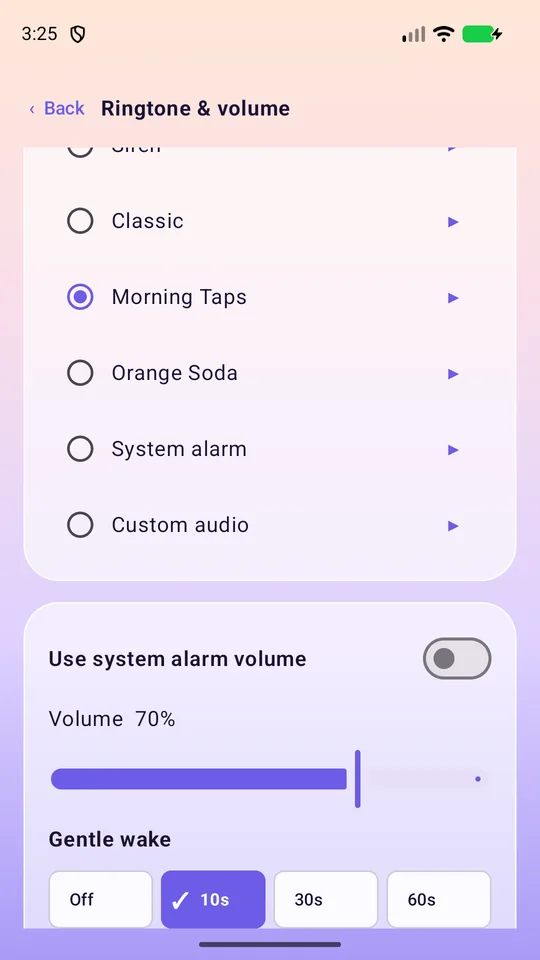
Set the time and repeat days, then choose that alarm's ringtone, volume, gentle fade-in, vibration and night mode. Use the bundled offline sounds, the system alarm sound or your own local audio. Night mode uses vibration for that alarm while keeping game sounds available.
Optional reminders let the alarm ring again up to three times, with an interval of 3, 5, 10, 15 or 20 minutes. Ring later is off by default. An optional automatic stop is also off by default and supports 1–60 minutes. The ringing screen includes an emergency stop.
03 / BeatAlarm
Android 7.0+ · Wake-up games
Get it onGoogle PlayOne-time upgrade · No subscription. Local price on Google Play.
Get the appThree games and up to two alarms are free. Selected games can be unlocked for this installation by voluntarily completing a rewarded ad. Ads do not appear during ringing or wake-up challenges. Pro is a one-time purchase through Google Play, with no subscription or automatic renewal. The localized price is shown by Google Play.
Three games and up to two alarms are free. Selected games can be unlocked for this installation by voluntarily completing a rewarded ad. Ads do not appear during ringing or wake-up challenges. Pro is a one-time purchase through Google Play, with no subscription or automatic renewal. The localized price is shown by Google Play.
Balloon blowing requests microphone access only when needed; audio is processed on your device. Shaking requires an accelerometer. You can choose another available game if permission or hardware is unavailable.
Check notification, exact-alarm, lock-screen and background battery settings in Ringing reliability. Powering off, force-stopping the app or device restrictions may prevent alarms.
BeatAlarm / Android
Free to get started · Android 7.0+